
Let’s get you set up.
Artinfoland is an artist-run platform connecting organizations with a global community of artists. To publish exhibitions, residencies, grants, and open calls, you’ll need a free Organizer account and an approved organization profile.
Good to know
Creating an account and applying for an organization profile is free. Your submissions will be reviewed before going live.
Register for an Account
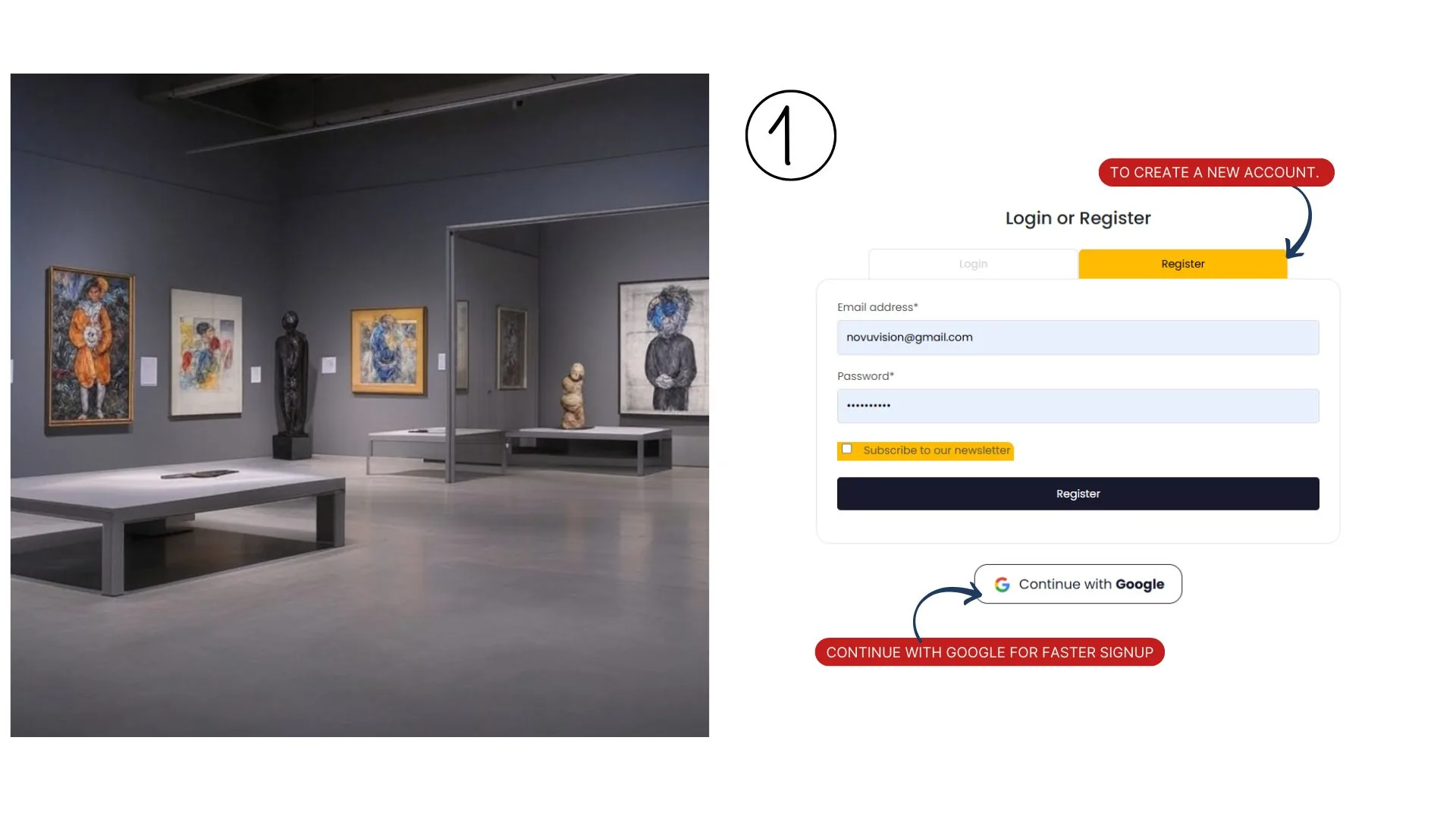
Visit My account – artinfo to create a new account. Fill in your email address and password, and optionally subscribe to the newsletter for updates. You can also continue with Google for faster signup. After submitting, you’ll receive a verification email.
Membership is free for basic access, but publisher accounts for organizations are also free and offer additional features like a profile in the organizations directory (if available).
Verify Your Email
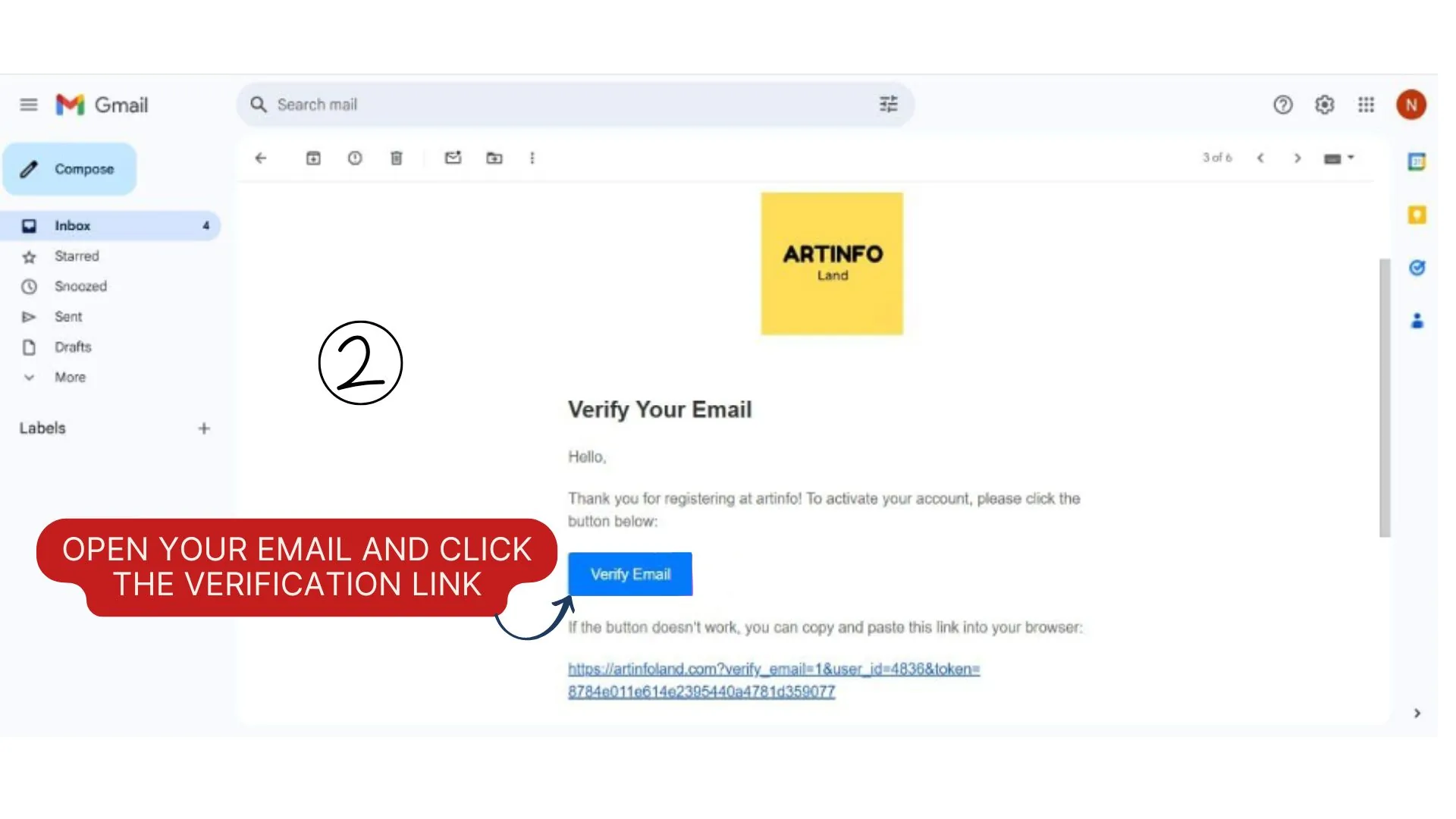
Check your inbox for an email from Artinfoland titled “Verify Your Email.” Click the “Verify Email” button or copy-paste the provided link into your browser to activate your account. This step is required to log in and access publisher features.
If you don’t see the email, check your spam folder or request a resend via the website.
Sign Up and Choose “Organizer”
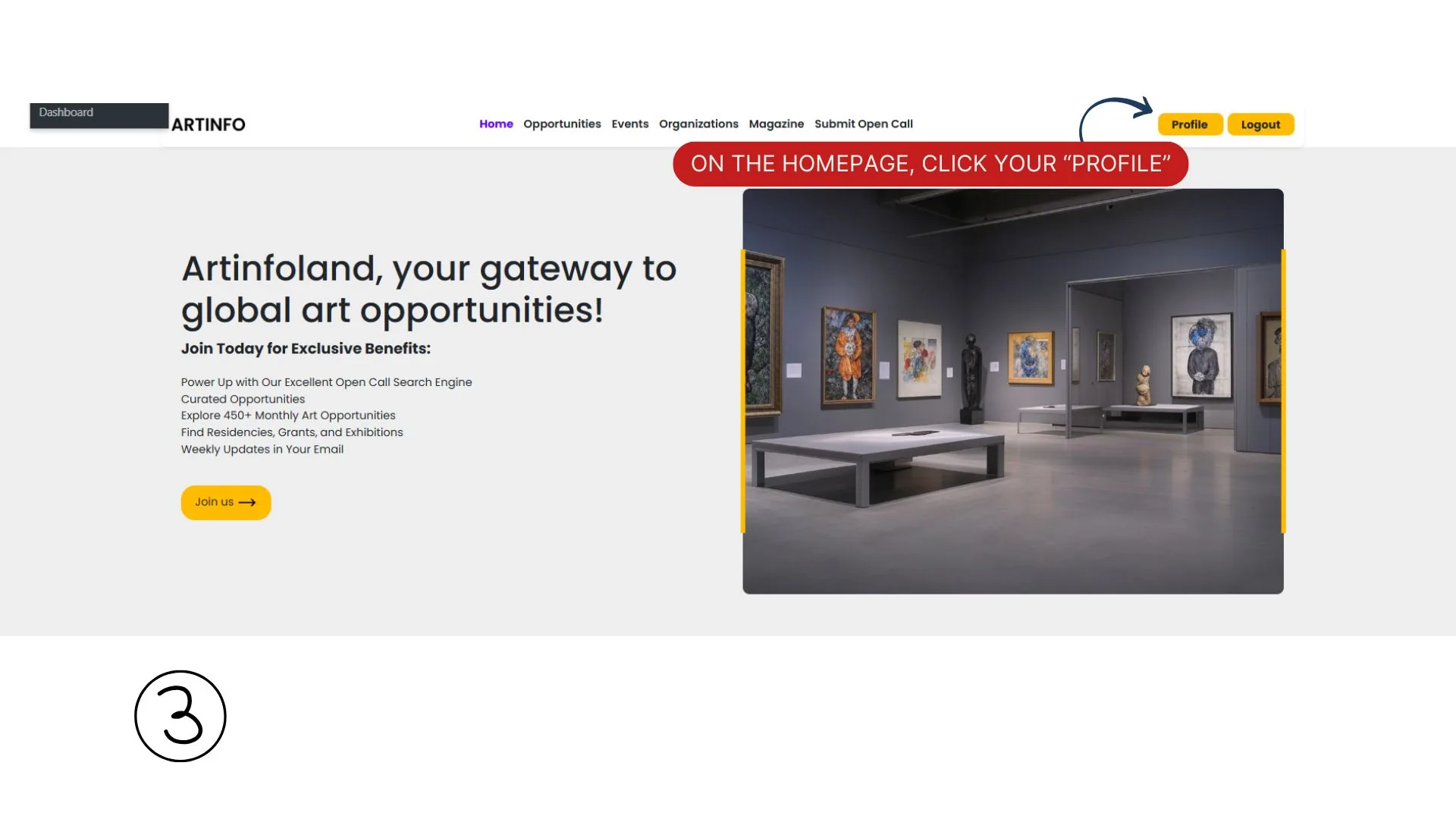
Visit artinfoland.com and click Sign Up in the top right corner. Fill in your email address and password, then click Register. You can also use Continue with Google for faster signup.
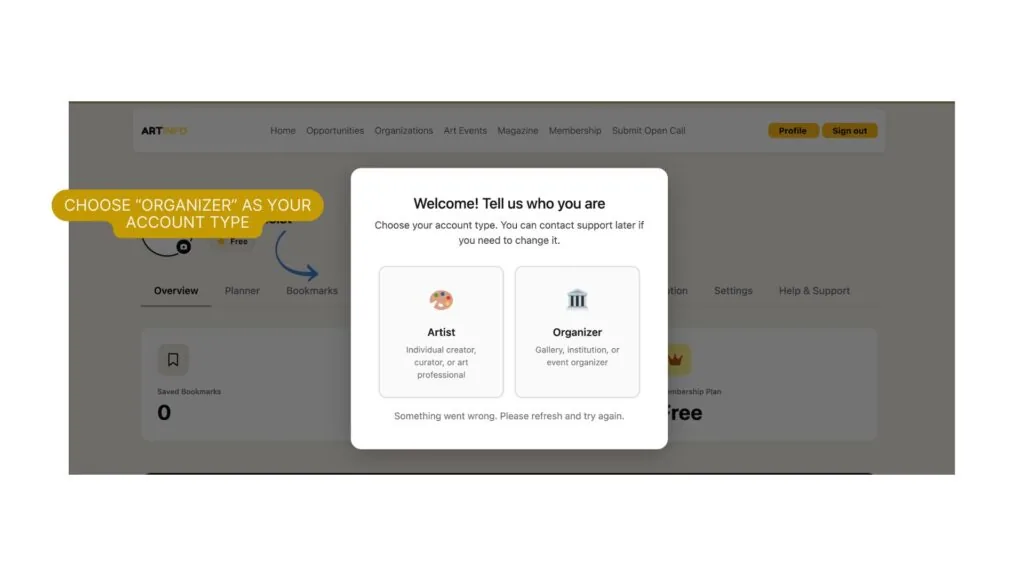
After verifying your email, you will be prompted with a welcome popup: “Welcome! Tell us who you are.” Select Organizer to proceed as a publisher.
If you need to change your account type later, contact Artinfoland support.
Complete Your Organization Profile
After selecting Organizer, you will land on the Edit Identity tab of your organization dashboard. This is where you set up your public profile. Fill in the following:
Organization Profile:
- Organization Name — your organization’s full name
- Organization Description — Write 2 or 3 paragraphs about your organization
- Organization Logo — JPG or PNG, recommended 400×400 px (max 1MB).
- Cover / Showcase Image — JPG or PNG, recommended 1200×400 px (max 1MB)
- Category — select the type that best describes your organization
- Location — select your country
- Website URL
- Public Email
- Phone
- Address — street, city, country
Map Location:
- Latitude and Longitude — enter accurate coordinates so artists can find you on the site map
Await Confirmation from Artinfoland
After saving your identity, your organization profile will show a Pending Review status. The Artinfoland team will review your submission and get in touch within a few business days.
Once approved, your profile status will change to Published and you will gain full access to your dashboard, including the Manage Content and Promotional Services tabs.
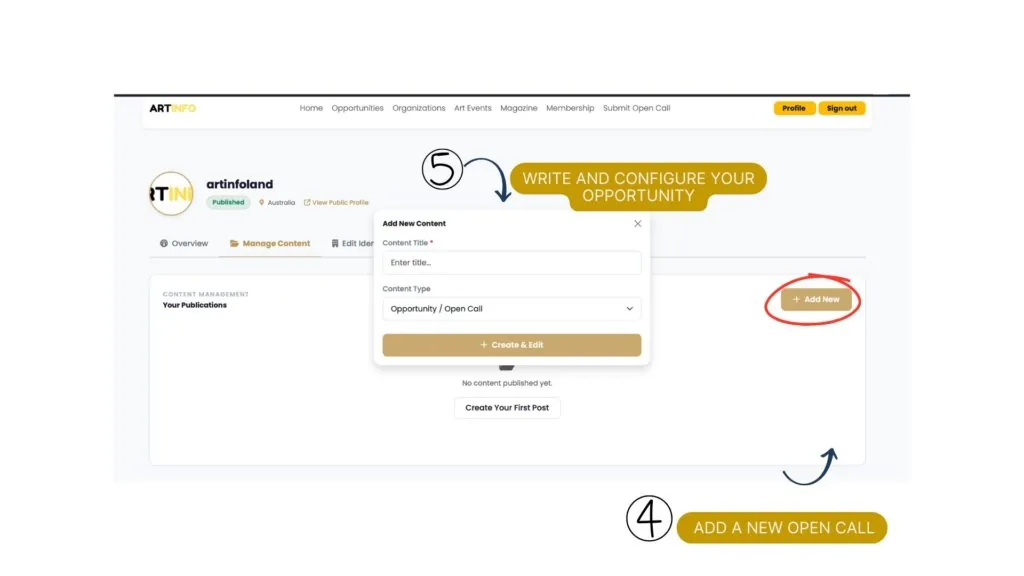
Add a New Open Call
After your profile is published, go to the Manage Content tab. Click the + Add New button in the top right corner.
An “Add New Content” popup will appear. Fill in:
- Content Title — the name of your open call
- Content Type — select Opportunity / Open Call from the dropdown
Click + Create & Edit to open the opportunity editor.
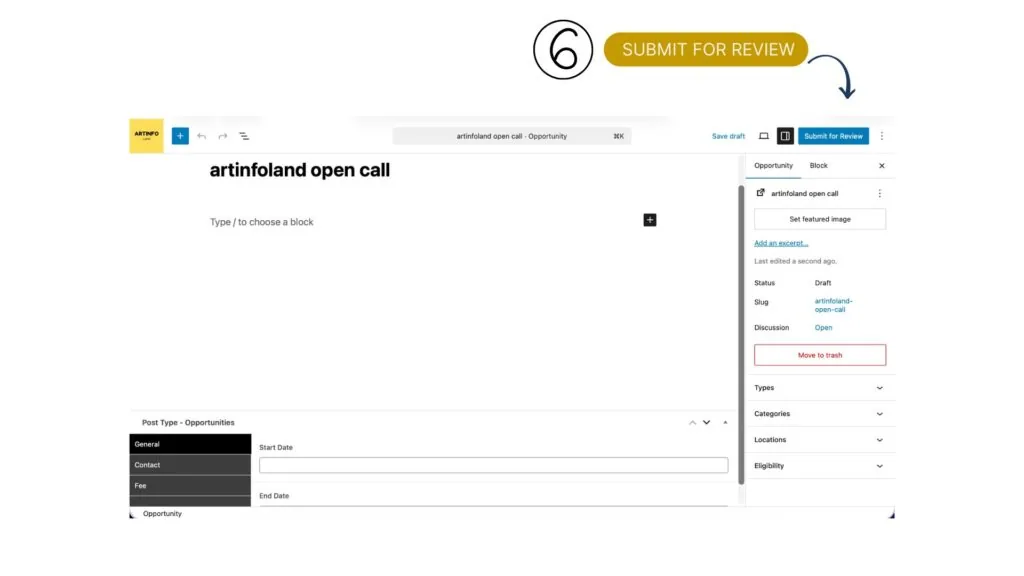
Write and Configure Your Opportunity
You will be taken to the opportunity editor, which uses a block-based editor. Add your title at the top and use the + button to add content blocks such as paragraphs, images, or videos.
Include a comprehensive description covering:
- Organizer background
- Purpose and theme of the opportunity
- Category / discipline (e.g. Visual Art, Photography, Performance)
- Eligibility (e.g. International, Emerging Artists, LGBTQ+ Artists)
- Location (city/country or Online)
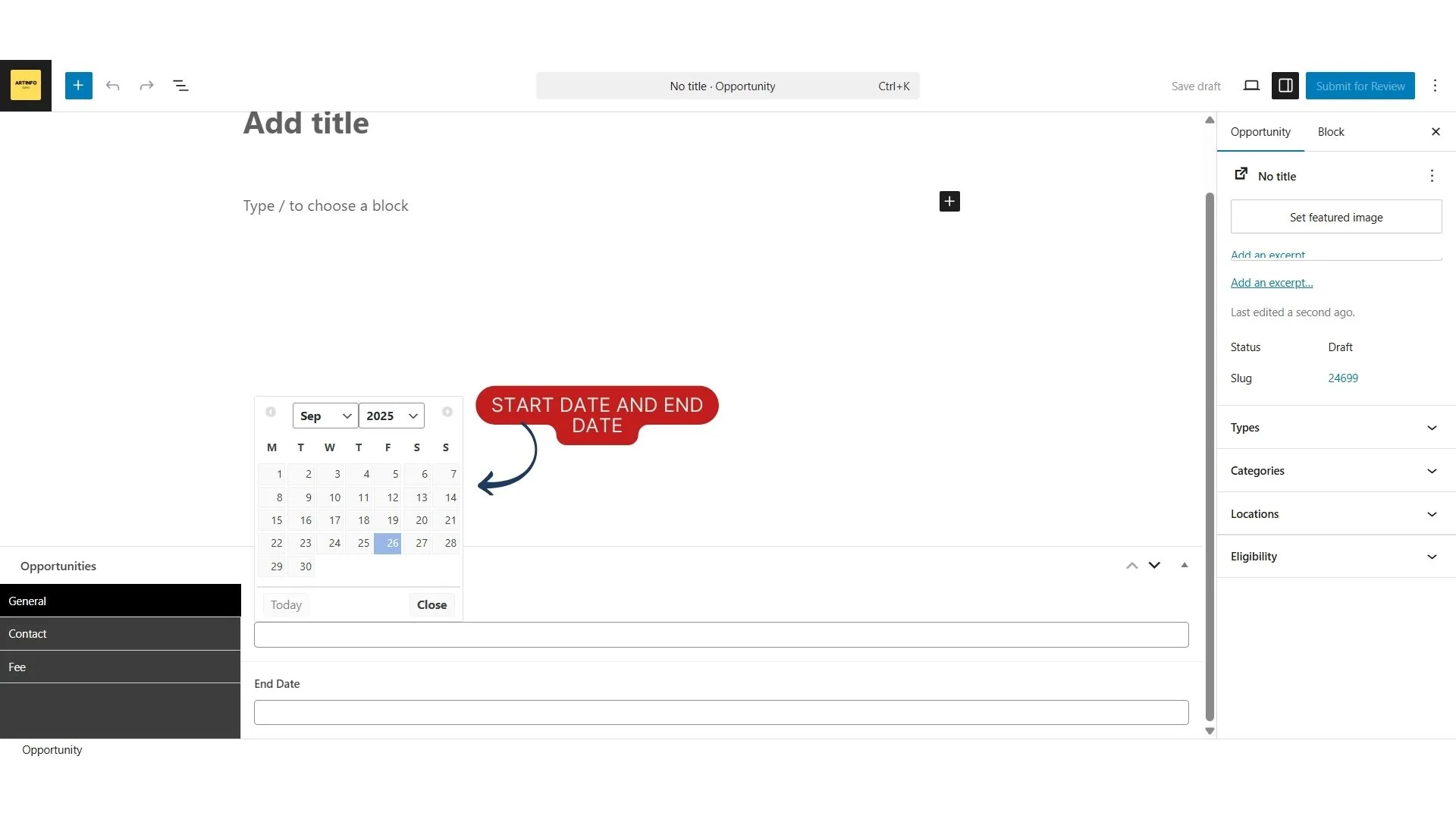
- Key dates: submission deadline, announcement, event dates
- Application fee and payment details
- Awards and benefits (e.g. cash prizes, residency, exhibition)
- Contact information: website, email, social media
- Additional details: submission format, jury process, travel requirements
In the right sidebar, configure the opportunity settings:
- Types — select the relevant type (e.g. Award/Prize, Residency, Open Call)
- Categories, Locations, and Eligibility — select from the dropdowns
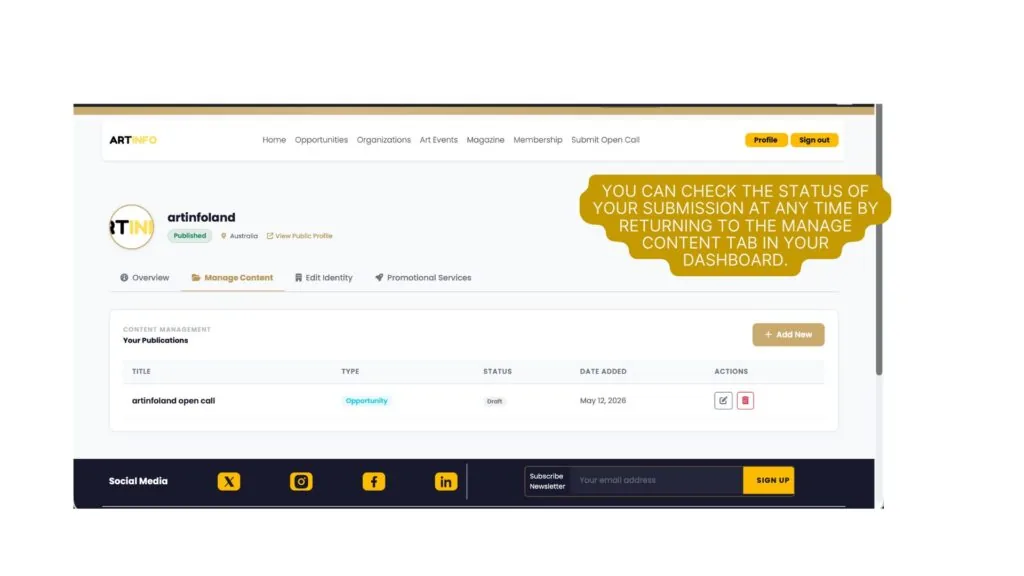
Submit for Review
Once your opportunity is complete, click Submit for Review in the top right corner of the editor. The status will change to Pending.
Artinfoland will review the submission for quality, transparency, and ethical standards before publishing. Expect confirmation within 3–5 business days.
You can check the status of your submission at any time by returning to the Manage Content tab in your dashboard. Once approved, the status will change to Published and your open call will be visible to artists across 85 countries.
Prefer email instead?
You can send your open call details directly to our team, and we’ll help you through the submission process.
Email your opportunity ↗Ready to share your next opportunity?
Join the organizations making creative opportunities more accessible to artists worldwide.
Create your account ↗